
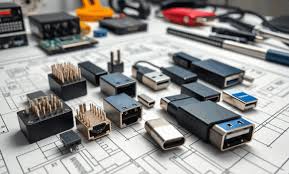
In today’s hyperconnected world, productivity depends not just on powerful computers but also on how efficiently devices integrate and communicate with one another. Whether in large corporate workstations or compact home offices, the need for seamless connectivity has become central to how professionals work. At the heart of this transformation lies the humble yet powerful dock connector. Far more than just a plug or port, dock connectors enable smooth interaction between laptops, desktops, monitors, and countless peripherals, ultimately shaping the digital ecosystem of modern workplaces.
The Evolution of Dock Connectors
The concept of dock connectors is not new. Since the early days of computing, professionals have needed ways to expand their devices’ capabilities beyond built-in ports. In the 1990s, docking stations were bulky, proprietary devices designed for specific laptop models. They provided additional serial, parallel, and VGA ports to connect to external displays, keyboards, and printers.
Over the decades, as technology advanced and laptops grew thinner, the design of dock connectors evolved dramatically. Today’s dock connectors are sleek, versatile, and standardised. Instead of needing a separate docking station for each brand or model, universal standards like USB-C and Thunderbolt allow one connector to handle data transfer, power delivery, video output, and peripheral integration—all through a single cable.
Dock Connectors in Modern Workstations
In traditional corporate environments, productivity often relies on multiple displays, external storage systems, and specialised input devices. Dock connectors serve as the backbone of these workstations, offering several advantages:
- Multi-Monitor Support
A single dock connector can drive two, three, or even more external displays at high resolutions. This allows professionals like designers, financial analysts, and engineers to multitask efficiently. - Peripheral Integration
Dock connectors allow seamless connection to external hard drives, webcams, microphones, and other accessories. Instead of plugging each device individually, one connection can expand to multiple devices. - Centralised Power Management
Modern connectors such as USB-C not only transfer data but also charge laptops and mobile devices. This reduces clutter and eliminates the need for multiple chargers. - Enhanced Speed and Bandwidth
With protocols like Thunderbolt 4, users experience lightning-fast data transfer speeds, making it easy to move large video files, datasets, or software builds in seconds.
The Rise of the Home Office
The COVID-19 pandemic accelerated the global shift toward remote work, making home offices as essential as corporate workstations. Here, dock connectors play an even more critical role. Unlike office setups where IT departments provide pre-configured systems, individuals working from home must often build their own flexible workspaces.
Dock connectors enable home office workers to maximise efficiency by:
- Turning laptops into full desktop-like systems with external monitors, ergonomic keyboards, and wired internet.
- Allowing seamless switching between professional and personal devices—such as connecting a work laptop during the day and a personal laptop in the evening—using the same dock.
- Reducing cable clutter which is especially important in smaller home spaces.
By bridging the gap between mobility and productivity, dock connectors empower professionals to achieve the same level of performance at home as in the office.
Technological Advancements in Dock Connectors
Modern dock connectors are not limited to simple expansion—they embody technological innovation. Some of the most notable advancements include:
- Universal Compatibility
Standards like USB-C ensure that a single dock can work across multiple operating systems and brands, from Windows laptops to MacBooks and even tablets. - Power Delivery (PD)
Advanced connectors provide up to 100W or more of charging power, supporting not just laptops but also smartphones, tablets, and accessories. - High-Resolution Video Output
Support for 4K and even 8K displays ensures crisp visuals for content creators, gamers, and professionals alike. - Security and Management Features
In enterprise environments, smart docking stations can incorporate encryption, authentication, and device management, ensuring secure and controlled usage.
Industry Applications
Different industries leverage dock connectors in unique ways:
- Creative Professionals
Graphic designers, video editors, and animators rely on high-resolution external monitors, fast external storage, and precise input tools—all of which are enabled through dock connectors. - Healthcare
Doctors and researchers connect laptops to diagnostic devices, imaging systems, and secure hospital networks using docking setups. - Education
Teachers and students benefit from simplified connectivity in classrooms and home setups, using docks to connect projectors, cameras, and collaborative tools. - Finance and Business
Analysts and executives use docking systems to work with multiple displays and secure networks, ensuring fast access to data and trading systems.
The Benefits of Dock Connectors
The role of dock connectors extends far beyond convenience. Their key benefits include:
- Productivity Boost – By enabling multi-device integration, dock connectors save time and enhance efficiency.
- Mobility with Stability – Workers can unplug a single cable and move their laptop without dismantling the entire setup.
- Cost-Effectiveness – Instead of investing in multiple adapters or devices, one dock serves multiple purposes.
- Sustainability – Fewer cables and power adapters reduce e-waste and energy consumption.
The Future of Dock Connectors
1. What is a dock connector?
A dock connector is a physical interface that allows a laptop, tablet, or other device to connect to multiple peripherals such as monitors, keyboards, storage devices, and power sources through a single connection.
2. How is a dock connector different from a docking station?
A dock connector is the port or interface on a device that enables connection, while a docking station is the hub or accessory that uses the dock connector to expand functionality (e.g., adding USB ports, video output, Ethernet, and charging).
3. Which types of dock connectors are most common today?
The most common types are USB-C and Thunderbolt connectors, as they support high-speed data transfer, video output, and power delivery, all through one cable. Older systems used proprietary connectors or large docking mechanisms.
4. Can one dock connector work with different brands of laptops?
Yes, universal standards like USB-C and Thunderbolt are designed for cross-compatibility across brands and operating systems. However, some advanced features (like multiple 4K displays) may require specific hardware support.
5. Why are dock connectors important for home offices and workstations?
Dock connectors simplify setup by reducing cable clutter, providing multi-monitor support, and enabling quick transitions between portable and desktop use. They are especially useful for remote workers who need professional-level functionality at home.
Conclusion
From traditional office workstations to compact home setups, dock connectors have become essential tools that enable productivity, efficiency, and convenience. They simplify the complexities of modern computing, transforming a single laptop into a powerhouse capable of supporting multiple devices, high-resolution displays, and secure networks. As technology continues to evolve, dock connectors will not only keep pace but also shape the future of how we interact with digital ecosystems. In essence, they represent the invisible threads weaving together the fabric of our professional and personal lives—quietly but powerfully bridging devices, spaces, and possibilities.
